
Appearance
Condition Group Type
Elementor Pro AdvancedConditions are grouped by type. There are several pre-defined types to choose from, based on the WordPress Template Hierarchy. When creating a new condition, we have to assign the condition to a specific type.
Group Method
Condition group is defined by the following method:
php
class Elementor_Test_Condition extends \ElementorPro\Modules\ThemeBuilder\Conditions\Condition_Base {

	public static function get_type(): string {
		return 'condition_type';
	}

	public static function get_priority(): int {
		return 40;
	}

}Condition Group Type – The
get_type()method returns the condition group type.Condition Priority – The
get_priority()method priorotize the condition in a group type.
Available Condition Groups
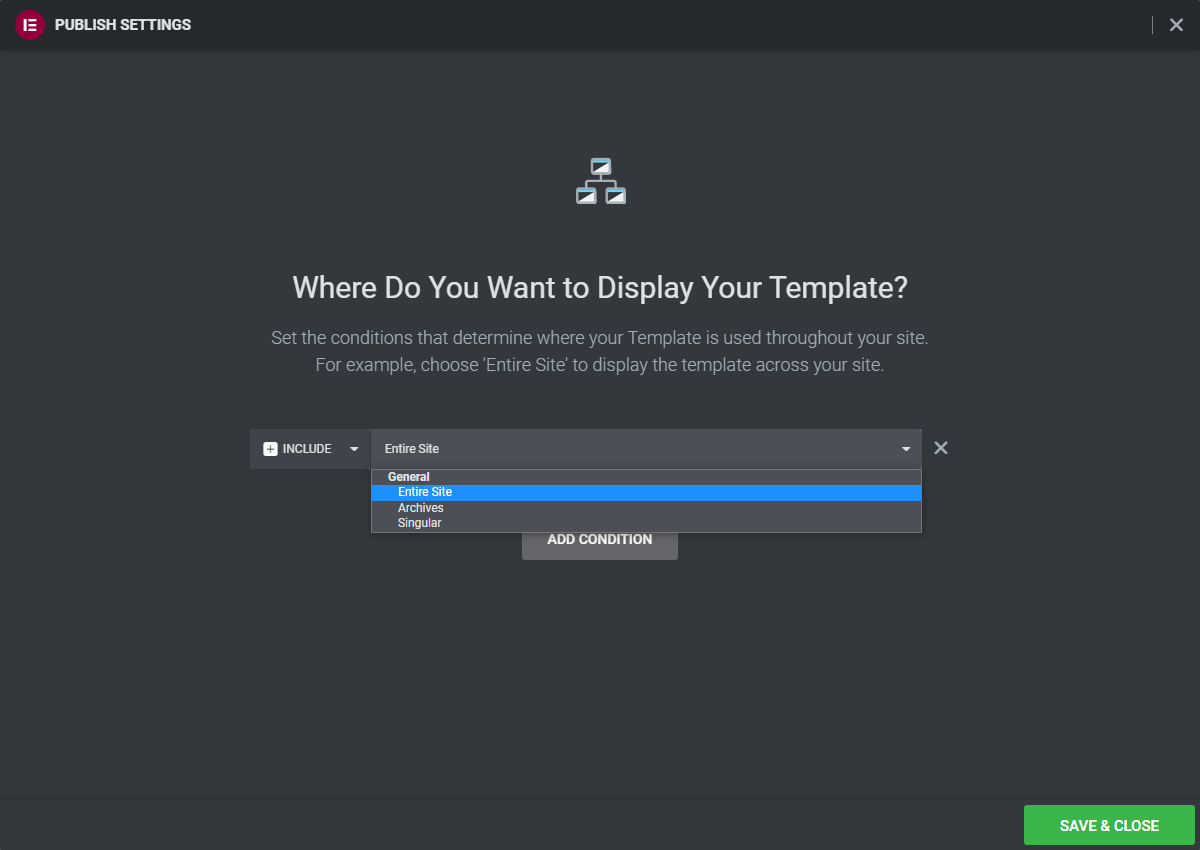
When you select which group to assign your condition to, you can select one of the following:
| ID | Label | Description |
|---|---|---|
>general | > General | |
>> general | >> Entire Site | Condition to display the template across all pages. |
>> archive | >> Archives | Condition to display the template on archive pages. |
>> singular | >> Singular | Condition to display the template on singular pages. |
Conditions Tree
We are basically creating a tree of conditions. Each time we add a sub-condition, we expand the tree. get_type() method tells us which group the condition belongs to.
Conditions Priority
When several sub-conditions are nested inside a group type or inside a condition, their display order can be controlled using the priority method.
Built-in conditions use a priority ranging between 0 to 100. When the get_priority() method is not defined, the default priority inherited from its the base class, there it returns 100.